Opening a new logistics site takes more than installing racking, loading docks and forklifts. On day one, suppliers need to know how to announce deliveries. Carriers need clear booking and arrival rules. Drivers must find their way from the gate to the correct dock. And the inbound team needs to know which shipment is expected and what to do when something goes wrong. If these processes are only agreed after opening, avoidable calls, waiting times and inventory discrepancies are almost inevitable.
This practical checklist is for logistics and supply chain leaders in manufacturing and retail who are launching a warehouse, plant or distribution centre. It covers capacity planning, inbound processes, yard operations, supplier onboarding, systems, safety and go-live approval. The priority is how the company, its suppliers, carriers and site team work together.
Before opening: Eight questions every site needs to answer
- How many trucks and handling units must the facility process on normal days and peak days?
- How will vehicles move from the entrance to check-in, waiting areas, docks and exit?
- Which delivery data must arrive before the truck?
- How will receiving, inspections, stock posting and exceptions work?
- Which suppliers and carriers have already adopted the new process?
- How will ERP, warehouse management and delivery coordination exchange information?
- Which safety, access and emergency procedures have been approved?
- Who decides whether the site is ready to go live?
Do not document only the ideal process. Also decide what happens when a truck is early, an advance shipping notice is missing, a dock becomes unavailable or a system goes offline.

1. Plan the logistics site around actual freight flows
Start with a credible volume model. Average daily shipments are not enough: include peak hours, seasonal surges, production ramp-ups and differences between vehicle types and loads. Separate inbound and outbound flows because they may share access roads, space and staff. Consider transfers between company sites as well.
What the operating concept needs
- Expected truck arrivals by day and hour, divided into inbound and outbound.
- Full truckload and less-than-truckload shares, trailer types and specialist deliveries.
- Pallets, cages, cartons or loose goods per shipment and estimated handling times.
- Opening hours, shifts, breaks and available unloading teams.
- Product types, inspection requirements and quarantine or buffer areas.
- Projected growth from new suppliers, ranges and additional sites.
Record the assumptions and their owners. That allows the team to distinguish bad forecasts from a dock bottleneck or incomplete shipment data once operations begin.
Calculate dock capacity with arrival peaks in mind
Consider a simplified example: four docks, eight usable hours per day and a hypothetical occupation time of 90 minutes each. That gives a theoretical capacity of about 21 truck handlings per day. This figure has no allowance for breaks, peaks, late arrivals or exceptions, and is not an operational target. Hourly distribution matters much more than the average: ten trucks arriving together can create a queue even if daily capacity appears sufficient.
Use realistic handling times for different goods and vehicle types, and reserve capacity for exceptions. Time Slot Management helps align expected arrivals with available resources. Our article on congestion at the loading dock explores what can go wrong during operations.

2. Design the yard: From the site gate to the dock
A new facility needs more than enough parking bays. Drivers require an unambiguous route from the public road to check-in, designated waiting areas, their assigned dock and the exit. Poorly planned turns and crossings can create risks for trucks, pedestrians and internal transport vehicles.
The yard process in six steps
- Before arrival: Share the delivery address, correct entrance, booking reference, time slot and safety rules.
- At the gate: Match the vehicle and shipment to an expected arrival; route unannounced deliveries to a defined exception process.
- At check-in: Let the driver register and receive clear instructions in a language they understand.
- In the waiting area: Keep vehicles on designated spaces without blocking traffic lanes or emergency access.
- At the dock: Assign the loading bay according to actual availability and operating rules.
- At exit: Close the operation and document the vehicle's final status.
Keep booked arrival time, actual arrival, unloading start and unloading end as distinct events. Otherwise it is hard to see where waiting time originates. Depending on existing infrastructure, Yard Automation can connect barriers, licence plate recognition and dock calls. Driver Check-in provides a structured registration process via a terminal or QR code.
Design for exceptions, not just normal traffic
Plan for early and late trucks, incorrect entrances, temperature-controlled loads, hazardous goods, failed gates, full waiting areas and emergency vehicles. Define where trucks can wait safely and who may authorise an exception. Separate pedestrians from vehicles and minimise reversing movements wherever the site layout allows.
3. Set up receiving: One process from notice to inventory
Goods receipt is where an expected shipment becomes available, inspected inventory. A loading dock is only one part of that process. Data, physical goods and responsibilities need to stay connected at every handover.
Seven steps for an inbound delivery
- Advance notice: The supplier or carrier provides order references, quantities, handling units and estimated arrival.
- Time slot planning: Reserve an appropriate dock, team and inspection area.
- Arrival matching: Check the booking or transport reference when the vehicle arrives.
- Physical receipt: Match the shipment to transport documents and record visible damage.
- Quantity and quality checks: Capture shortages, batch numbers, serial numbers or temperatures as required.
- Inventory posting: Release accepted quantities into the ERP or WMS; keep unresolved stock on hold.
- Follow-up: Initiate put-away, production supply, returns, claims or load-carrier posting as appropriate.
Partial deliveries and mixed pallets deserve special attention. Decide how a purchase order can arrive on several trucks, how outstanding quantities remain visible and who resolves exceptions. Photos, damage records and confirmations should be linked to the shipment. Load Check supports digital documentation at the dock.
For more detail on individual receiving activities, see our overview of the goods receipt process and the separate goods receipt checklist. The focus here is on preparing these processes before a new site opens.
4. Onboard suppliers and carriers before go-live
A logistics site cannot run smoothly if external partners keep using the old delivery address, shared inbox or booking process. Supplier onboarding belongs in the launch plan rather than being postponed until the first operational weeks.
A practical partner onboarding sequence
- Identify partners: List suppliers, carriers and relevant contacts with delivery frequency.
- Prioritise: Start with high-volume partners and those supplying critical materials.
- Align master data: Share the site address, location identifiers, opening hours and order references.
- Agree booking rules: Specify who announces and books deliveries, which fields are mandatory and how changes are handled.
- Offer appropriate access: Depending on technical readiness, use EDI, a portal or a controlled email process.
- Run pilots: Test the entire flow with selected suppliers, carriers and drivers.
- Provide support: Name a reachable contact for exceptions and questions during ramp-up.
At minimum, an advance notice should identify the location, supplier, order or shipment reference, estimated arrival, number and type of handling units and any special requirements. More mature integrations may use electronic despatch advice messages such as DESADV and unique logistic unit identifiers such as SSCC. The goal is consistent information, not forcing every partner to use identical technology.
TradeLink's Collaboration Platform connects sites, suppliers and carriers in the same operational process. The partner portal is free for delivery partners and time slots can be booked without registration. Our article on partner management covers the broader organisational perspective.
SUPPLIER ONBOARDING
Opening a new site? Connect delivery partners from day one.
Connect suppliers and carriers from day one. TradeLink brings delivery notices, time slots and arrivals together. AI agent Emma processes notice emails and prepares bookings. Your team decides what Emma can book automatically.
5. Connect ERP, WMS and delivery coordination
Make the responsibilities of each system explicit. ERP may manage purchasing and master data, while a warehouse management system controls locations and inventory transactions. Delivery coordination handles advance notices, slots and arrival events. Each information field needs a reliable source of truth.
Test these six data handovers
- Purchase order to shipment: Which order lines belong to which delivery?
- Advance notice to slot: Can the appointment be changed or cancelled?
- Arrival to dock: Are actual events kept separate from planned times?
- Inspection to inventory: Which quantities are accepted and which remain blocked?
- Load carriers to partner accounts: How are pallets and transport cages recorded?
- Events to reporting: Can check-in, dock start, completion and exit be linked by timestamps?
Test missing product IDs, duplicate references, cancelled orders, changed quantities and failed interfaces. Every failed integration needs a visible error queue, an owner and an agreed fallback. TradeLink's Order Manager links purchase orders to deliveries; Load Carrier Management helps maintain shared accounts.
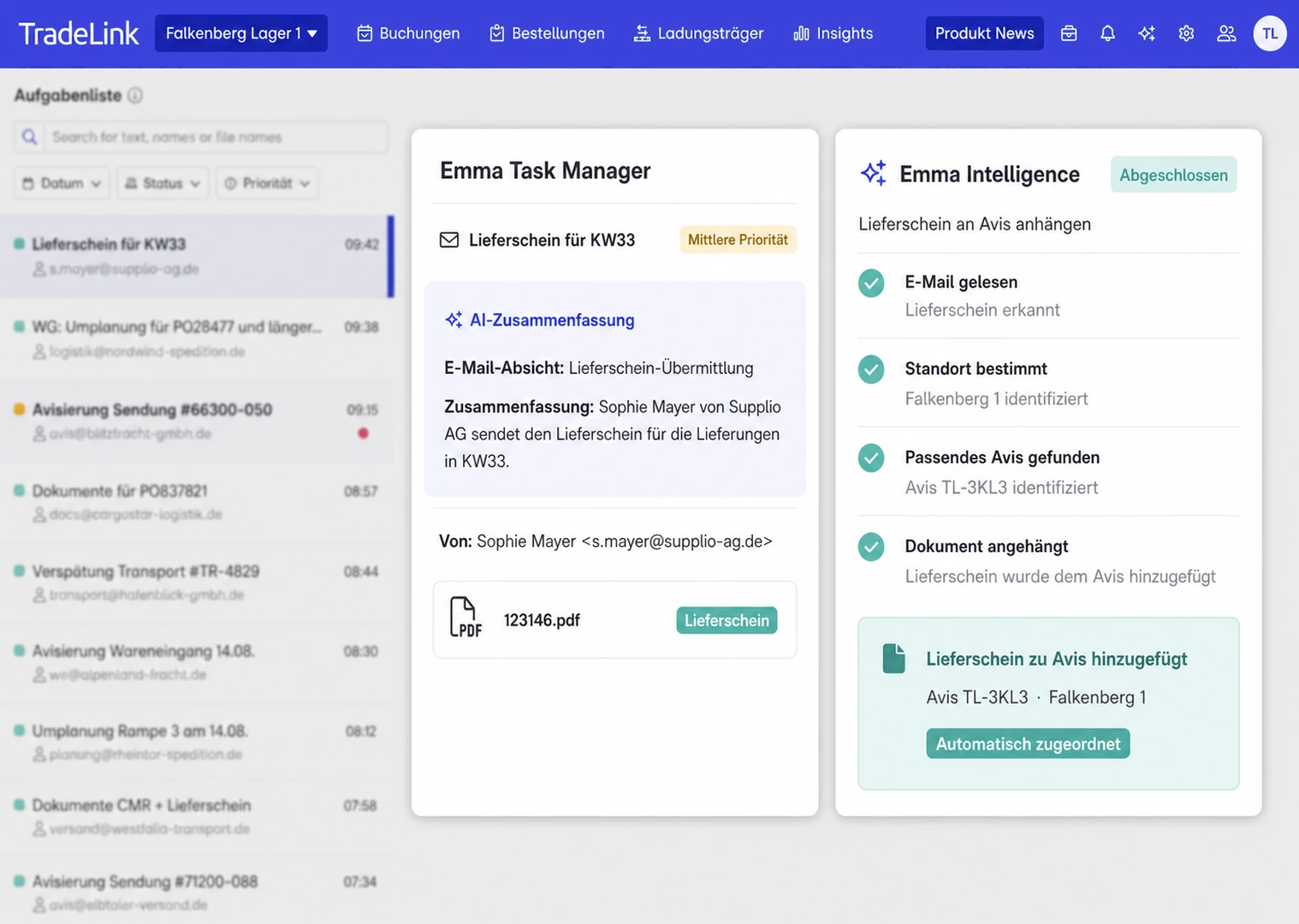
Where advance notices arrive by email, AI agent Emma can process the relevant information and assign it to the right workflow. The site team determines whether Emma books directly or requests approval. Important exceptions and priorities remain with the team.
6. Define people, safety and responsibilities
Every shift needs named owners for gate operations, yard coordination, dock allocation, receiving, quality checks and IT issues. Someone must also resolve competing priorities, for example when critical materials arrive late and all bays are occupied. Define deputies and out-of-hours contacts.
Site approval must cover traffic routes, separation between people and vehicles, loading areas, fire protection, escape routes, lighting, access control and safety briefings. Specific legal requirements depend on the country, building and operating model. Relevant workplace rules must be checked locally; in Germany this includes applicable Technical Rules for Workplaces, and in Austria the workplace regulations. Involve occupational safety specialists and qualified planners. This article is not a substitute for permits or a formal risk assessment.
Make instructions usable for external drivers
A manual on an internal drive is not enough. Drivers need straightforward access to the approach map, parking rules, safety instructions and contacts. Account for language differences and first-time visitors. The instructions must work during peak traffic and outside office hours.
7. Go-live testing: Eight real-world scenarios
Being able to log in to the software does not prove the warehouse is ready. Rehearse a complete delivery with real team members and, where possible, the physical hardware that will be used in daily operations.
- A normal delivery with a correct advance notice and on-time arrival.
- A truck that is early or late and needs a new slot or dock assignment.
- A driver without a booking or with an incorrect reference.
- A partial delivery with missing goods or visible damage.
- An unavailable dock, blocked approach or absent unloading team.
- A scanner, network, barrier or integration failure.
- Several vehicles arriving together during a planned peak.
- A complete receipt including inventory posting, load carriers and final exit.
For each test, document expected and actual results, an owner, defect priority and retest date. Define a formal go/no-go decision involving site management, IT, safety and operations. Critical safety or process gaps require explicit resolution before starting normal operations.
8. Manage the ramp-up with clear operational KPIs
Whenever possible, start with selected partners and controlled volumes rather than switching all flows on the same day. Observe the first deliveries at the gate and the dock. A short daily review with operations, IT and partner support helps the team identify repeating problems.
Metrics worth tracking
- Advance notice completeness: Share of deliveries with all required pre-arrival information.
- Slot adherence: Share arriving within the agreed appointment window.
- Waiting time: Time between actual arrival and start of handling.
- Turnaround time: Time between arrival and exit.
- Dock utilisation: Occupied dock time relative to available dock time.
- Discrepancy rate: Deliveries with quantity, quality or document issues.
- Partner adoption: Relevant suppliers and carriers using the agreed booking process.
Define the same start and end events, data source and owner for each measure. The Insights Cockpit brings together operational information from bookings, check-ins and load checks. For additional definitions, see our guide to the most important logistics KPIs.
New logistics site opening checklist
Use the following checks as the basis for project acceptance. Assign an owner and documented evidence to every item.
Planning and infrastructure
- Normal and peak-day volume forecasts approved.
- Inbound, outbound, storage and buffer areas dimensioned.
- Dock capacity assessed using realistic handling times.
- Vehicle routes, waiting areas and site access approved.
- Safety, fire and emergency plans reviewed.
- Roles, shifts and escalation paths established.
Inbound and yard
- Delivery address and mandatory arrival rules communicated.
- Advance notice and time slot processes configured.
- Check-in, dock assignment and check-out tested.
- Receiving and quality checks documented.
- Damage, shortages and partial deliveries covered.
- Load carriers and returnable packaging included.
Partners and IT
- Suppliers and carriers identified and prioritised.
- Booking instructions, contacts and onboarding material shared.
- Test notices and bookings completed with key partners.
- Product, order and shipment references validated.
- ERP, WMS and status interfaces tested.
- Fallback procedures for failures documented.
Go-live and ramp-up
- Exceptions and peak loads rehearsed.
- Safety briefings and user permissions checked.
- Critical faults resolved or opening delayed.
- Formal go/no-go approval recorded.
- Ramp-up support team available.
- KPIs and daily improvement reviews established.
Four common mistakes when launching a logistics site
The building is ready, but the inbound process is not
A suitable dock is not enough if nobody has decided which trucks should arrive, how delays are managed or who resolves bottlenecks. Review the operational day alongside the physical site plan.
Suppliers receive the new rules too late
A new address alone is insufficient. Without clear booking and notification rules, calls and emails run in parallel with unplanned arrivals. Involve important partners in a pilot early.
Integrations are only tested in the ideal case
Test missing data, duplicates and outages. The important question is not just whether a system sends data, but whether a person can detect and resolve errors.
There is no shared picture after opening
If gate staff, dock planning and receiving work from different lists, delays and their causes remain hidden. Record key events in the same process and review discrepancies daily.
How TradeLink supports a new logistics site
A new site does not have to build every partner connection from scratch. TradeLink connects suppliers, carriers and sites in one network, with more than 10,000 suppliers and carriers already connected. A new location can build on existing relationships while onboarding additional partners.
Time Slot Management, Yard Automation, Driver Check-in and digital receiving processes help coordinate arrivals and docks. AI agent Emma handles routine work around email-based notices while the site team retains control of exceptions and priorities. The right setup depends on your processes and current systems.
SITE GO-LIVE
From gate to dock: Ready to open your new site?
We show you how to connect time slots, yard operations and goods receipt from day one. AI agent Emma handles routine work around notice emails and slot bookings. Your team stays in charge of exceptions and priorities.
Frequently asked questions about opening a logistics site
When should suppliers and carriers be involved?
As soon as the delivery address, operating hours and booking rules are defined. Key partners should test the process before go-live so that master data and responsibilities can still be corrected.
Does every new site need time slot management immediately?
It depends on delivery frequency, dock numbers and variability. Where many partners share limited docks, a transparent appointment process can be useful from day one, provided it connects to actual yard and receiving operations.
How do you avoid queues at the gate?
Provide clear directions, plan arrivals, establish appropriate holding areas and coordinate check-in with dock operations. Define what happens to unannounced or late vehicles.
Which systems must work at go-live?
At a minimum, the systems supporting orders, notices, arrivals, goods receipt and inventory posting. Reference data and visible error handling are essential. Critical handovers must work even if not every step is automated.
What makes a site ready to open?
Successful real-world tests including exceptions, completed safety checks, informed key partners and a responsible team able to address remaining issues. A documented go/no-go decision matters more than hitting a calendar date.