The Order Manager links your ERP orders to what’s actually happening in your logistics operations. For each order line item, you can see what has been notified, delivered, or is pending. Get started without an IT project.







Two worlds that currently meet via email and phone. Your team bridges the gap, manually, every single day.
When will the goods arrive? Which order does the delivery note belong to? Your team spends time chasing information instead of managing operations.
The carrier books a slot, but the ERP knows nothing about it. Someone has to manually reconcile quantities and dates.
Which supplier delivers on time and in full? Without OTD and OTIF data, you are just relying on gut feeling.
Features that bring orders, shipping notifications, and delivery notes together.
The problem: Order data is stuck in the ERP, while logistics works with email inboxes and spreadsheets. Meanwhile, the interface has been in the IT backlog for months.
With TradeLink: Orders, including line items, flow into TradeLink via CSV or API. The system remembers your data format, every field is searchable down to the line-item level, and your suppliers are automatically matched with the company database.
One CSV per week is enough to get started. The API comes when your process requires it.
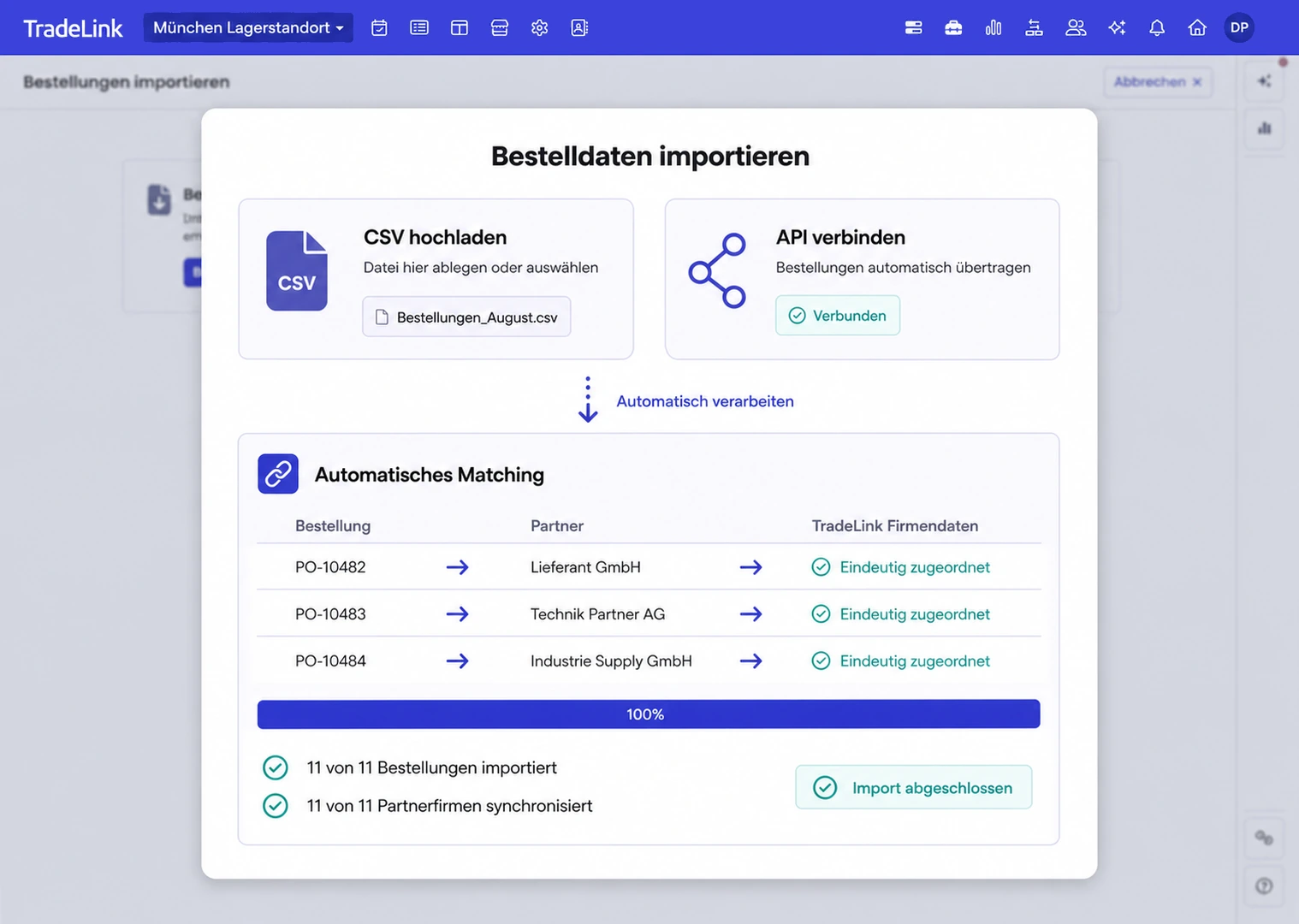
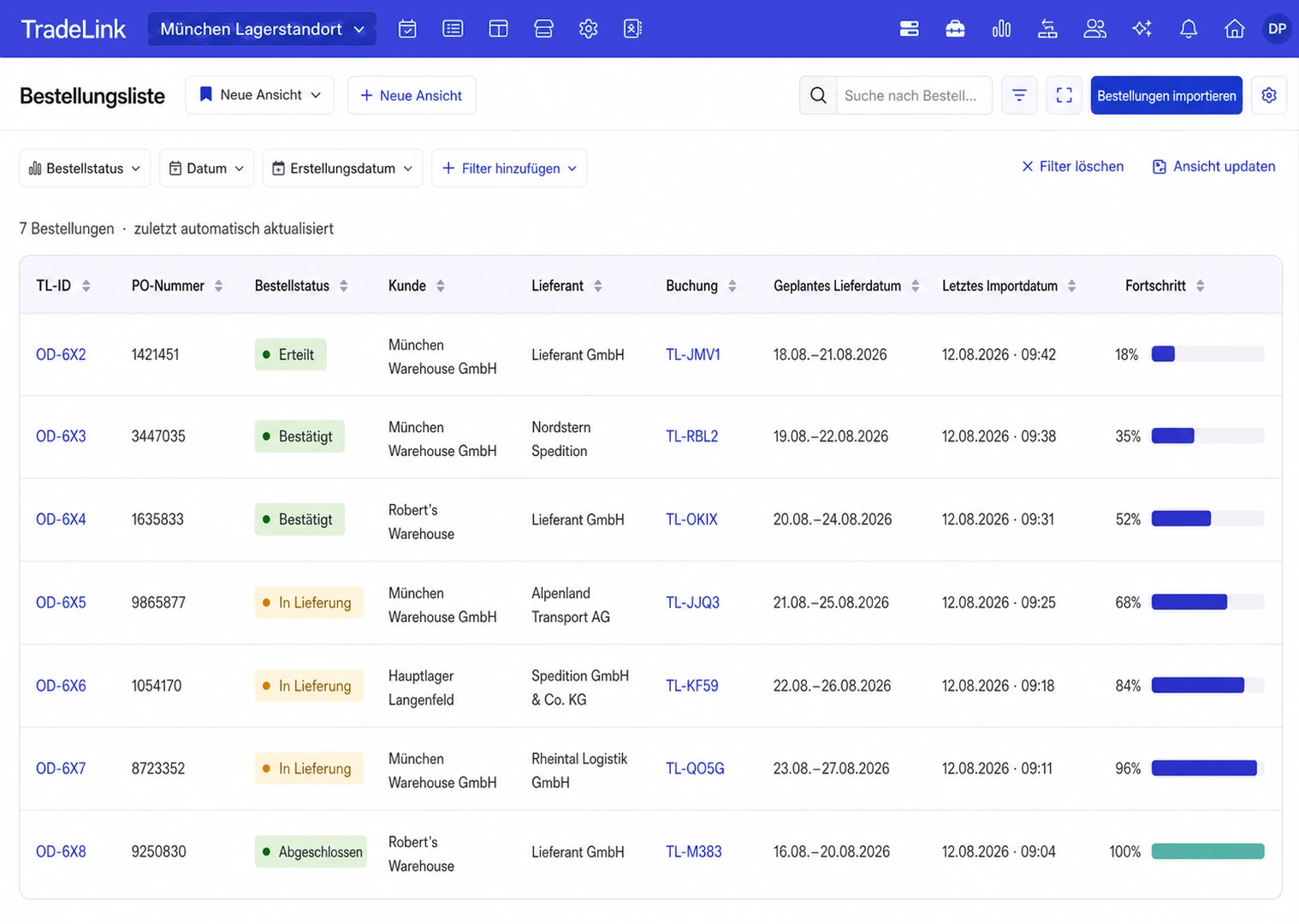
The problem: When will the goods arrive? What is still missing? Your team spends time chasing down orders, and the ERP only reflects the order confirmation.
With TradeLink: Every order line item has a clear status: advised, delivered, or pending. Shortages and delays are spotted immediately, not just at month-end closing.
Reports are based on actual arrival at the dock, not on ERP entries.
The problem: Delivery notes arrive via email, as uploads, or as DESADV. Your team manually types in order and item numbers and reconciles quantities by hand.
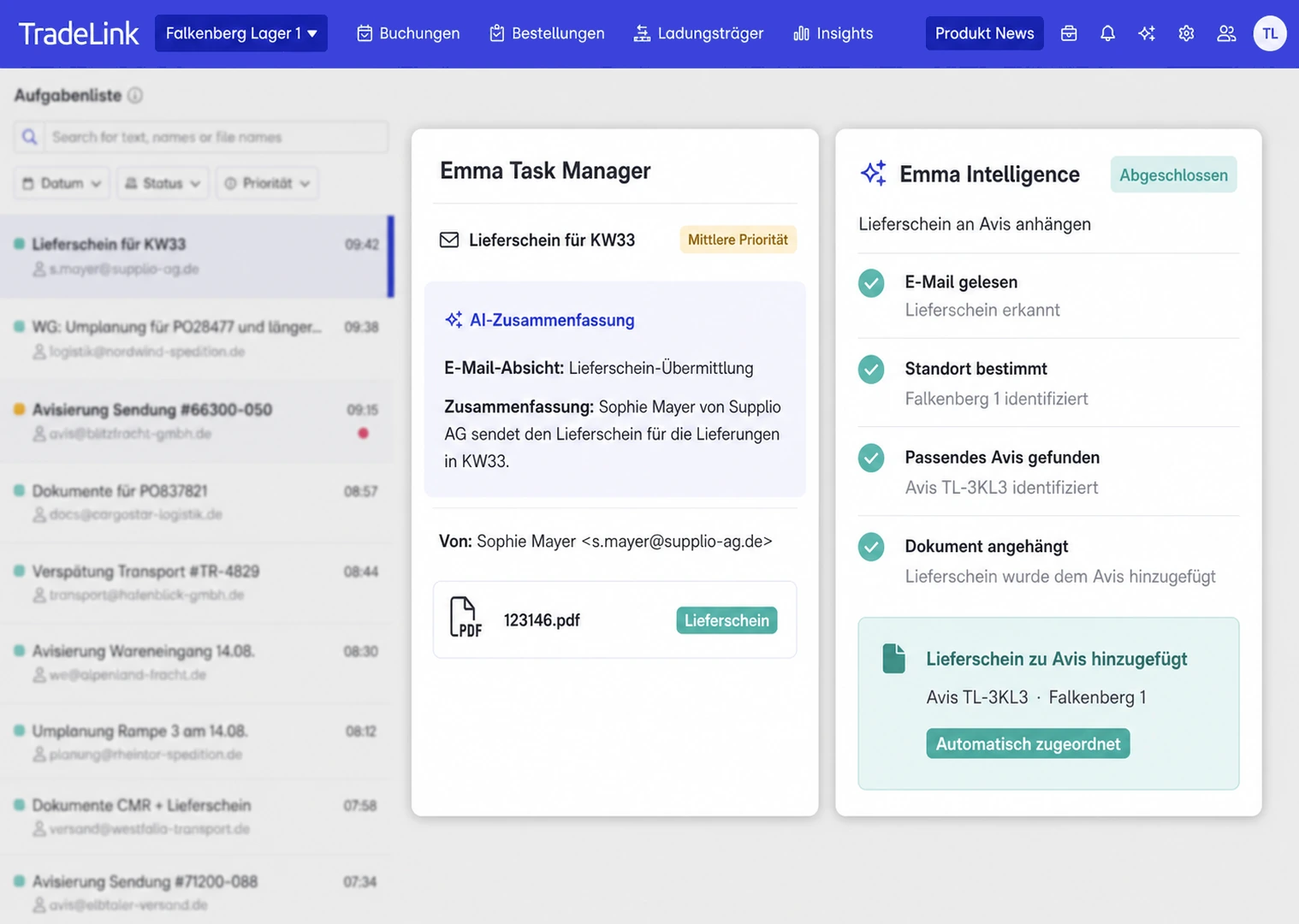
With TradeLink: AI identifies order and item numbers in documents and assigns line items and quantities to the correct shipment. TradeLink processes clear matches automatically. Only exceptions are sent to your team for approval.
The problem: Free-text fields lead to typos and incorrect references. Your warehouse only knows for sure what is arriving once it is being unloaded.
With TradeLink: The user selects from open orders, with the assigned supplier pre-selected. The Booking Pilot reads uploaded shipping documents and pre-fills the booking details.
Your ERP remains the system of record. TradeLink keeps orders, bookings, and appointments in sync.
Orders, including line items, are transferred to TradeLink via CSV or API.
The supplier or carrier receives the expected delivery details and an invitation to book a slot.
Slot booking is linked to the purchase order number, with all relevant details flowing directly into TradeLink.
TradeLink matches the booking to the order and synchronizes the new delivery date.
One link per order: Your carrier books in seconds, with no account required and no back-and-forth.
Shipping orders are sent to TradeLink via API, including recipient, pickup window, and documents.
TradeLink generates a unique slot booking link for every order.
Your ERP requests a pickup from the carrier via email, including the booking link.
The carrier books without needing a login. Your ERP receives the booked appointment immediately.
Take 30 minutes to look at TradeLink with our team.
100 notification emails a day? Emma handles it. She reads the inbox, assigns delivery notes, and prepares deliveries.
Your team confirms every delivery. No process is created without approval.
No. One CSV per week via drag-and-drop is enough to get started. TradeLink remembers your data format, and the real-time API can be added whenever your process requires it.
Available as an add-on in the Collaborate package and included in the Automate package. Pricing is based on site size and transport volume; your TradeLink team will calculate the specific costs for your case.
Just the link. Partners can book against the order number for free and without needing to log in. Those who want to dive deeper can connect via web or EDI.
From the actual arrival at the ramp rather than from ERP entries. Reports for each supplier are generated during ongoing operations without any extra maintenance.
Via email, as an upload in the portal, or as a DESADV via EDI. The AI extracts order and item numbers and assigns them; your team decides on any exceptions.
Yes. After a brief conversation, we will set up a demo environment for you to test using your actual workflows. No strings attached and free of charge.
